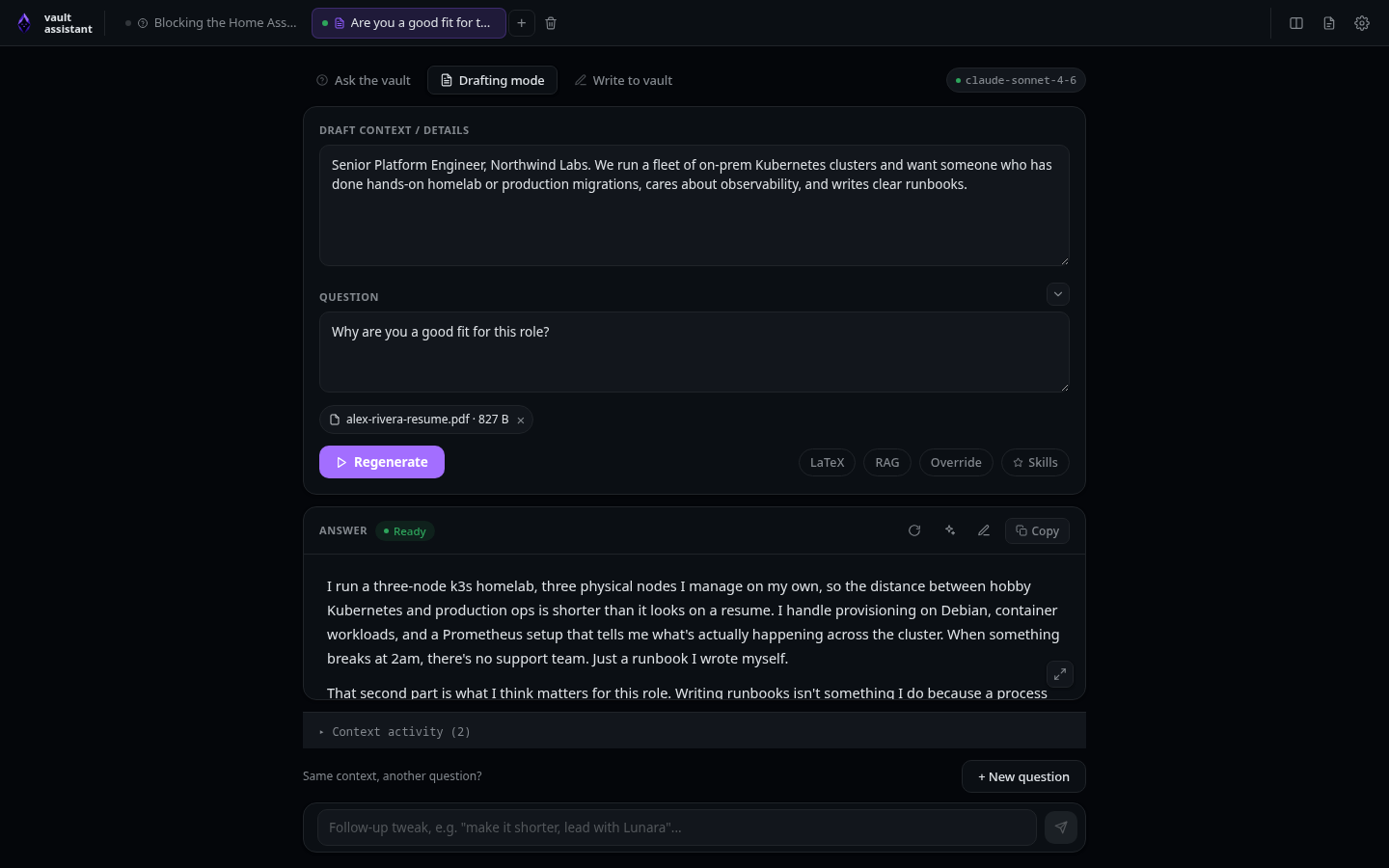
Draft mode
Draft mode (called job mode internally) writes structured, first-person text grounded in your vault, aimed at job applications and similar prompts where the answer speaks as you. You paste the target context, ask the question, and the model drafts a response in your voice using only facts it can find in your notes.
Switch a tab to Draft mode from the mode bar, documented in Ask mode.
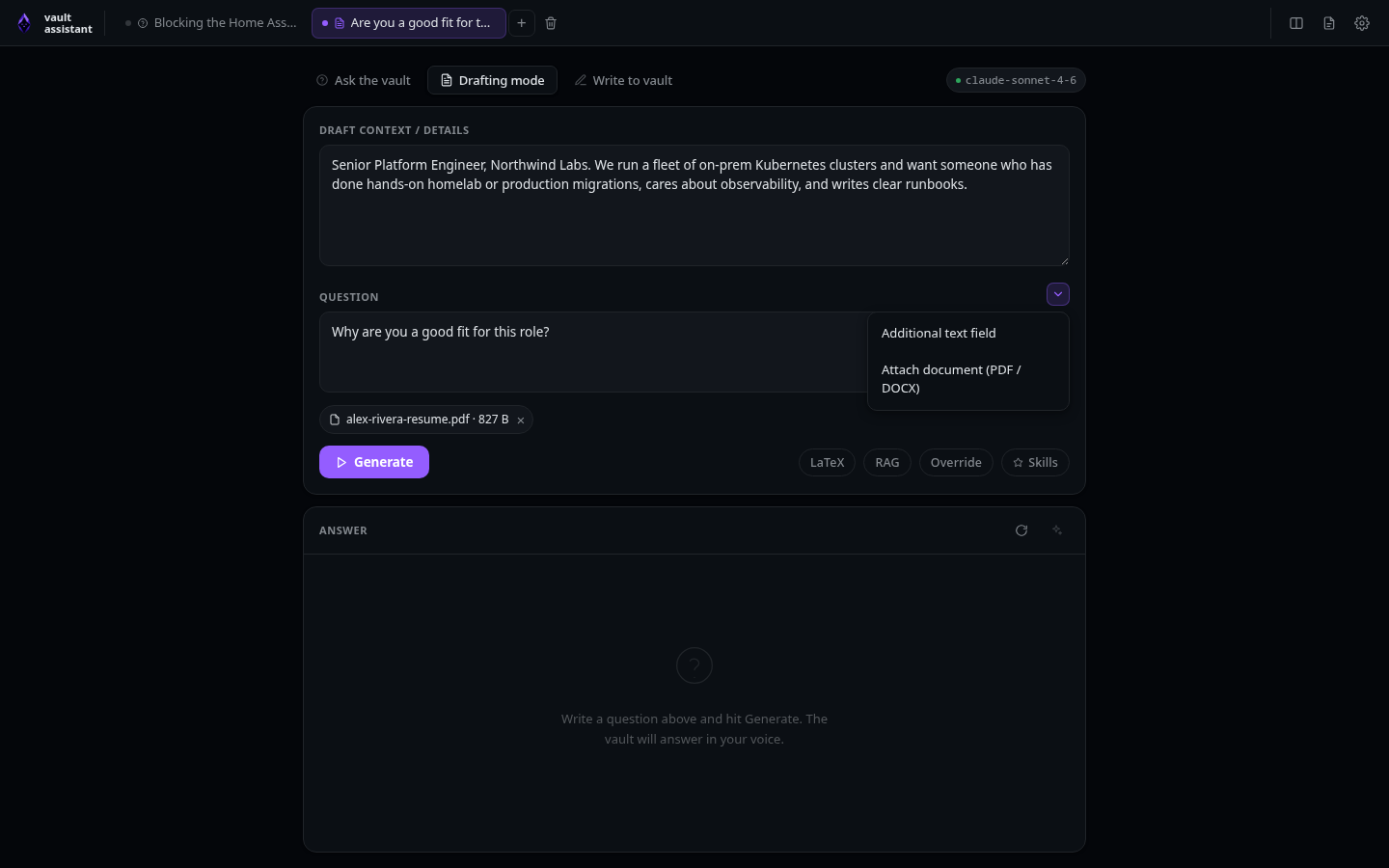
Draft-specific inputs
Draft mode adds a context card above the question field:
- Draft context / details textarea: Paste target job descriptions, experience requirements, or notes here. Low-level action: updates
tab.jobDescriptionin state. - Add additional context button (dropdown chevron): Located next to the Question label. Click to show a menu with two options:
- Additional text field: Toggles
tab.extraContextOpentotrueto display a secondary text area for pasting additional background notes. - Attach document (PDF / DOCX): Triggers a hidden system file input. Selecting a file calls
handleFilePicked. This uploads the file toPOST /api/attachments. The server reads the bytes, extracts the text using Node parsing libraries, and writes the text to a temporary JSON record. The UI lists the file as an active attachment.
- Additional text field: Toggles
- Attachment remove button (× on attachment chips): Located on each active document chip. Click to delete an attachment. Low-level action: removes the attachment ID from the tab's generation list and calls
DELETE /api/attachments/:idto clear the temporary text file from the server.
The question field behaves the same as in Ask mode: Enter generates, Shift + Enter inserts a newline.
Shared controls
Everything else works exactly like Ask mode. The generation toggles (LaTeX, RAG, Override, Skills) and the whole answer area, including cleanup, downloads, follow-ups, and the + New question button, are documented on the Ask mode page.